I Tested 8 AI Assistants for Business. Here's What Actually Works
AI has become the wise-cracking intern that everyone relies on to get the job done. But when we have new AI assistants popping up on the market every day, the million-dollar question is: which one should your org actually trust?
Over the past few months, I've been on a mission to find the AI assistant that actually delivers on its promises. Not the one with the flashiest demo or the most buzzwords in its marketing copy—the one that genuinely helps teams get work done faster and more accurately.
I tested 8 different AI assistants end-to-end, connecting them to the same data sources, asking identical questions, and measuring how well they performed on everyday business tasks. Some impressed me. Others left me wondering how they made it past beta testing.
Here's what I learned about which AI assistants are worth your team's time and money—and which ones you should skip.
How I Tested These AI Business Assistants
To make this comparison fair and meaningful, I created a standardized testing framework that would reveal how these tools perform in real-world business scenarios.
Connected the Same Data Sources
Every AI assistant was connected to the same two core business tools: Slack for team communications and Google Drive for document storage. These represent the backbone of most modern workplaces, containing everything from quick messages to comprehensive project documentation.
Asked 15 Identical Questions
I developed a set of 15 questions that mirror the types of queries teams actually ask their AI assistants:
- Simple lookups – "What's our return policy?" or "When is the Q4 planning meeting?"
- Complex questions – "What were the main concerns raised about the new pricing model?"
- Cross-source questions – "Did anyone follow up on the action items from last week's strategy doc?"
Scored Accuracy on a 4-Point Scale
Each answer was evaluated using a clear scoring system:
- Correct and complete – The assistant provided accurate information with all relevant context
- Mostly correct – The core answer was right but missing some details
- Partially correct – Some accurate information mixed with gaps or minor errors
- Incorrect or no answer – Wrong information or inability to find the answer
What Makes a Great AI Assistant for Business
Through my testing, four key factors emerged as the difference between AI assistants that teams actually use and those that get abandoned after the first week.
Accuracy When Searching Company Knowledge
This is non-negotiable. An AI assistant that gives wrong answers is worse than no assistant at all. The best tools don't just find information—they find the right information and present it with proper context.
One standout feature I noticed: Super automatically excludes archived pages from search results. This seemingly small detail prevents teams from acting on outdated information—a problem that plagued several other tools I tested.
Speed of Setup and Time to Value
The gap between "sign up" and "actually useful" varied wildly. Some assistants were answering questions within minutes. Others required hours of configuration, custom workflows, and IT involvement before they could handle even basic queries.
The best AI assistants understand that teams need quick wins to build trust and adoption.
Integrations with Your Existing Tools
An AI assistant is only as good as the data it can access. The tools that performed best had deep, native integrations with popular business platforms—not just surface-level connections that could read files but couldn't understand context or relationships.
Look for assistants that integrate with your core stack: communication tools, document repositories, project management systems, and CRM platforms.
Pricing and Cost Per User
AI assistants range from free tiers to enterprise plans costing hundreds per user annually. The key question isn't just the price—it's whether the value justifies the cost for your specific use case.
Some tools offer incredible capabilities but price themselves out of reach for smaller teams. Others provide solid functionality at accessible price points.
The 8 Best AI Assistants for Business I Tested
Here's a quick overview of how each tool stacks up:
| Tool | Best For | Key Strength | Notable Limitations |
|---|---|---|---|
| Super | Knowledge management & AI search | Exceptional accuracy across 20+ data sources | Requires minimum 10 users |
| Microsoft Copilot | Microsoft 365 users | Deep Office integration | Requires Microsoft ecosystem |
| Google Gemini | Google Workspace users | Seamless Workspace integration | Best within Google tools only |
| ChatGPT Enterprise | General productivity | Versatile and powerful | Requires manual data connections |
| Lindy | Workflow automation | Excellent task automation | Steep learning curve |
| Dust | Technical teams | Customizable for developers | Requires technical expertise |
| Sintra | Task delegation | Good at breaking down projects | Still maturing as a platform |
| Motion | Project management | Smart scheduling features | Narrow focus on planning |
Now let's dive into what makes each of these tools unique.
1. Super – Best for Knowledge Management & AI-Powered Search
Super emerged as the clear winner for teams that need an AI assistant focused on finding and surfacing company knowledge. As a standalone AI search platform, it connects to 20+ data sources—including Google Drive, Slack, Notion, Confluence, HubSpot, Linear, GitHub, and more—and delivered the most accurate answers across all my tests.
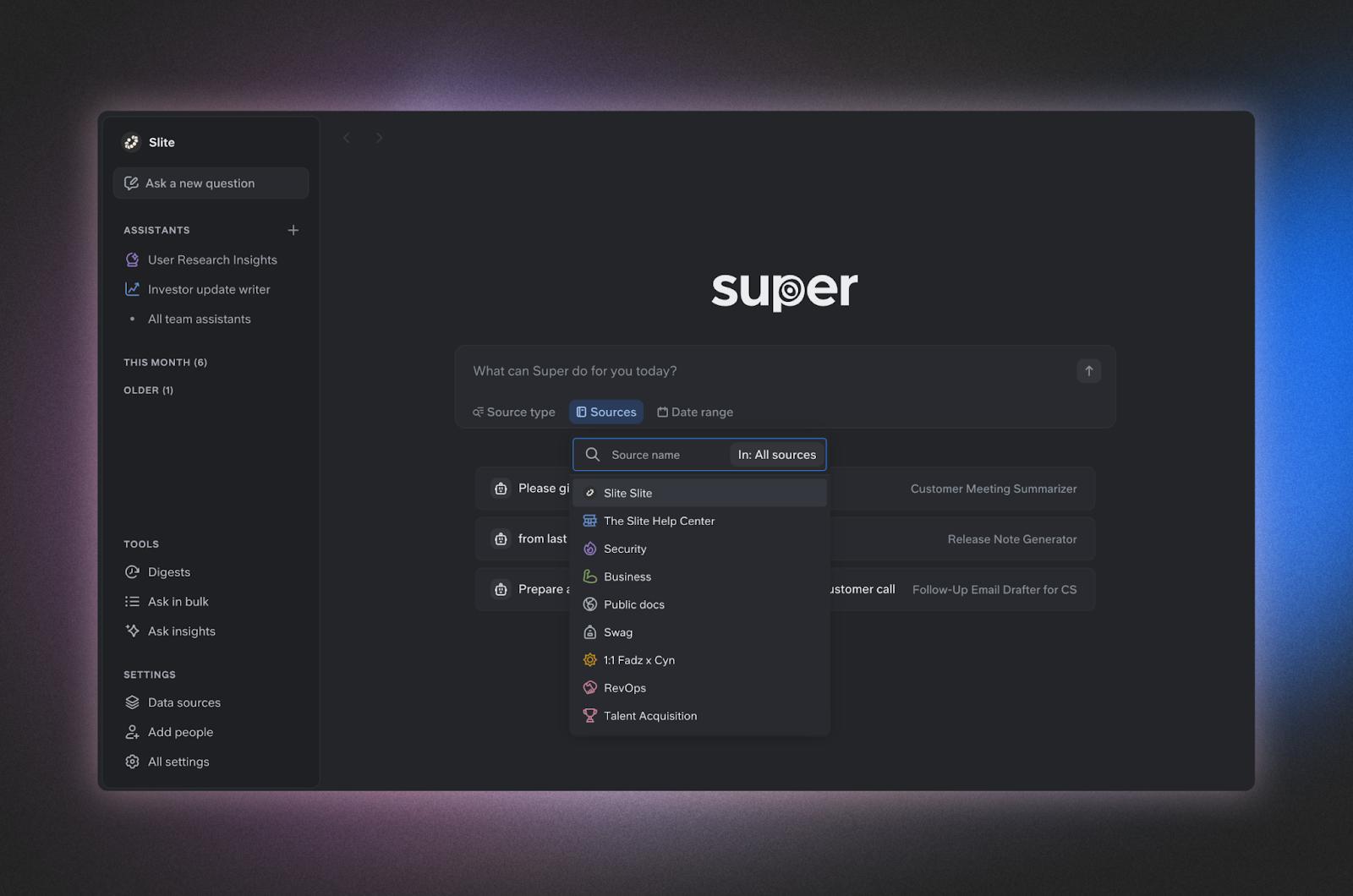
What makes it stand out:
- Scored highest on accuracy in my testing, particularly for complex questions requiring synthesis across multiple documents
- Automatically filters out archived content, ensuring teams always get current information
- Connects to 20+ data sources including Google Drive, Slack, Notion, Confluence, HubSpot, Jira, Linear, GitHub, and more
- Provides clear source citations, making it easy to verify answers and dive deeper
The limitation: Super requires a minimum of 10 users, which means it's built for teams rather than individual users or very small startups. But for teams of that size and above, it's the most reliable AI assistant I tested—and the breadth of its integrations means you won't need to consolidate your tools to get value from it.
2. Microsoft Copilot – Best for Microsoft 365 Users
If your organization runs on Microsoft 365, Copilot is the obvious choice. It’s deeply integrated into Word, Excel, PowerPoint, Outlook, and Teams, making it feel like a natural extension of tools you already use daily.
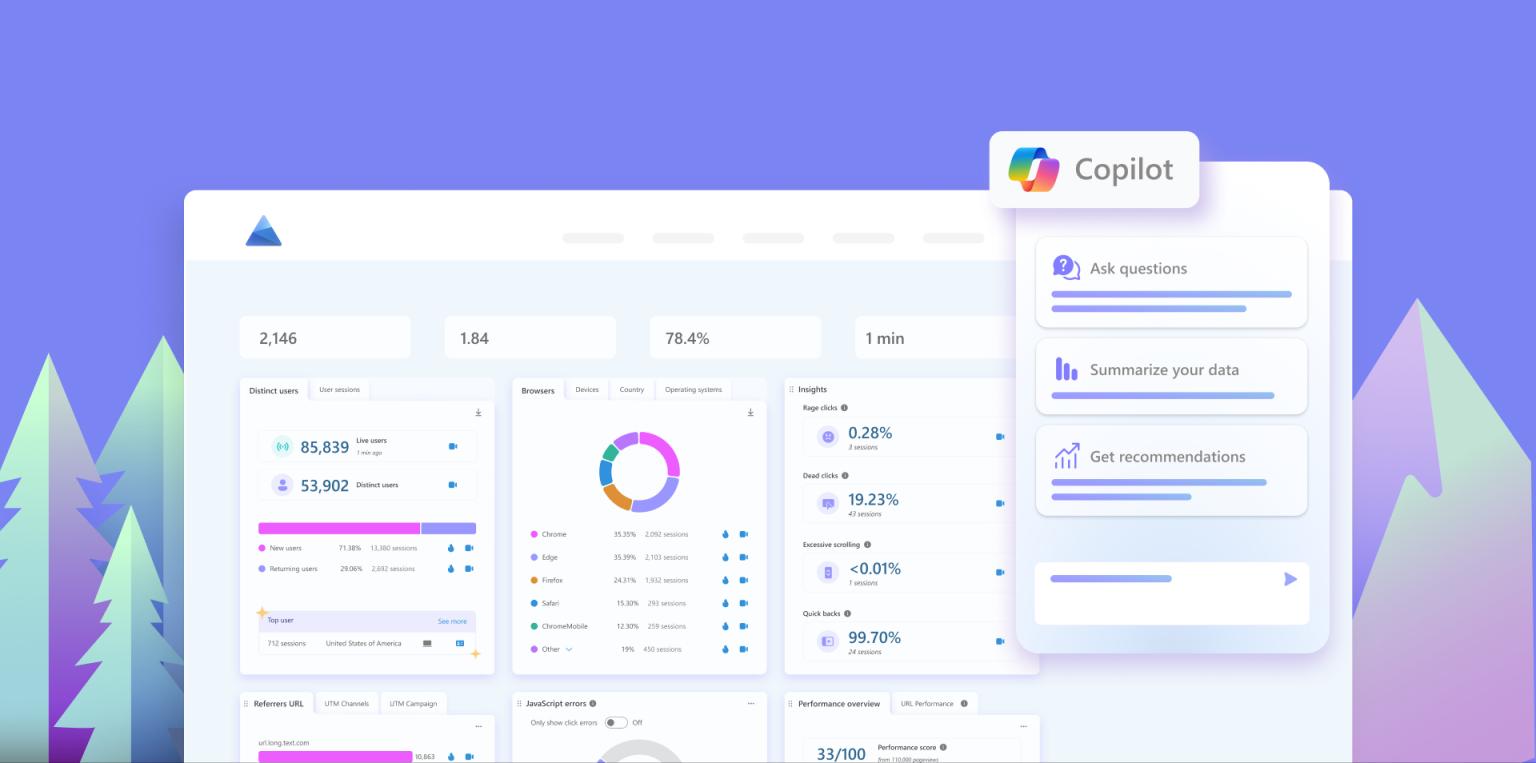
Key capabilities:
- Summarizes email threads and suggests responses in Outlook
- Generates first drafts of documents in Word based on prompts
- Analyzes data and creates visualizations in Excel
- Catches you up on Teams conversations you missed
The catch: Copilot's power is also its constraint. It works brilliantly within the Microsoft ecosystem but struggles to connect with tools outside of it. If your team uses a mix of platforms, you'll find yourself switching between Copilot and other assistants.
3. Google Gemini – Best for Google Workspace Users
Gemini is Google’s answer to Microsoft Copilot, and it delivers similar value for teams built on Google Workspace. It integrates seamlessly with Gmail, Docs, Sheets, Slides, and Meet.
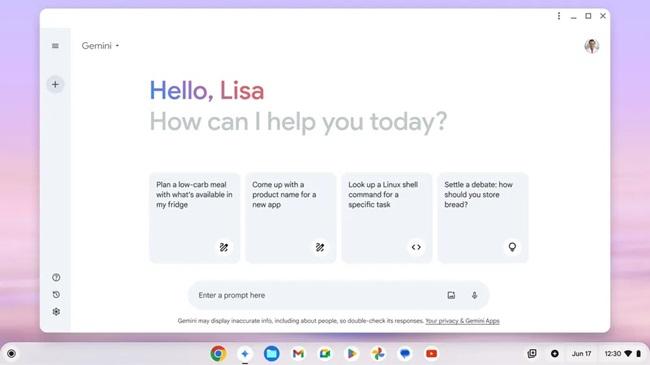
Strengths:
- Helps draft and refine emails in Gmail
- Generates content and suggests edits in Google Docs
- Creates formulas and analyzes data in Sheets
- Summarizes meetings and action items from Google Meet
Like Copilot, Gemini's biggest limitation is its ecosystem dependency. It shines within Google Workspace but offers limited value if your team uses other primary tools.
4. ChatGPT Enterprise – Best for General Productivity
ChatGPT Enterprise brings the power of OpenAI’s language model to business contexts with enhanced security, privacy, and administrative controls. It’s the most versatile tool I tested, capable of handling everything from writing and analysis to coding and brainstorming.
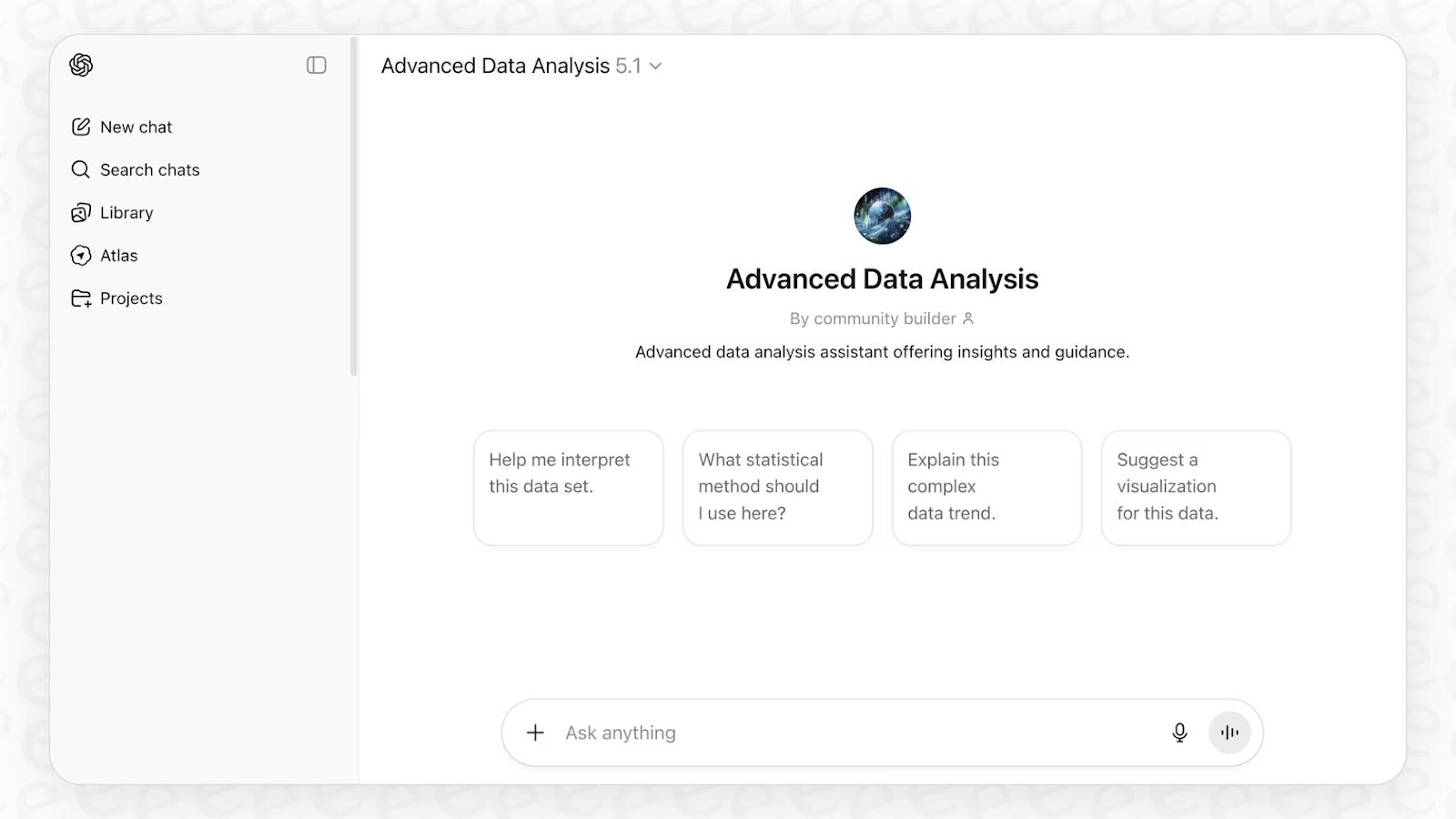
What it excels at:
- Exceptional at creative tasks, content generation, and complex problem-solving
- Can analyze documents, images, and data you upload
- Unlimited usage with faster response times than the free version
- Data isn't used to train OpenAI's models, addressing privacy concerns
The trade-off: ChatGPT Enterprise doesn't automatically connect to your company's data sources. You need to manually upload documents or copy-paste information, which creates friction for knowledge-based queries. It's powerful for one-off tasks but less efficient for recurring questions about company information.
5. Lindy – Best for Workflow Automation
Lindy takes a different approach than most AI assistants. Instead of just answering questions, it focuses on automating repetitive workflows and tasks across your business tools.
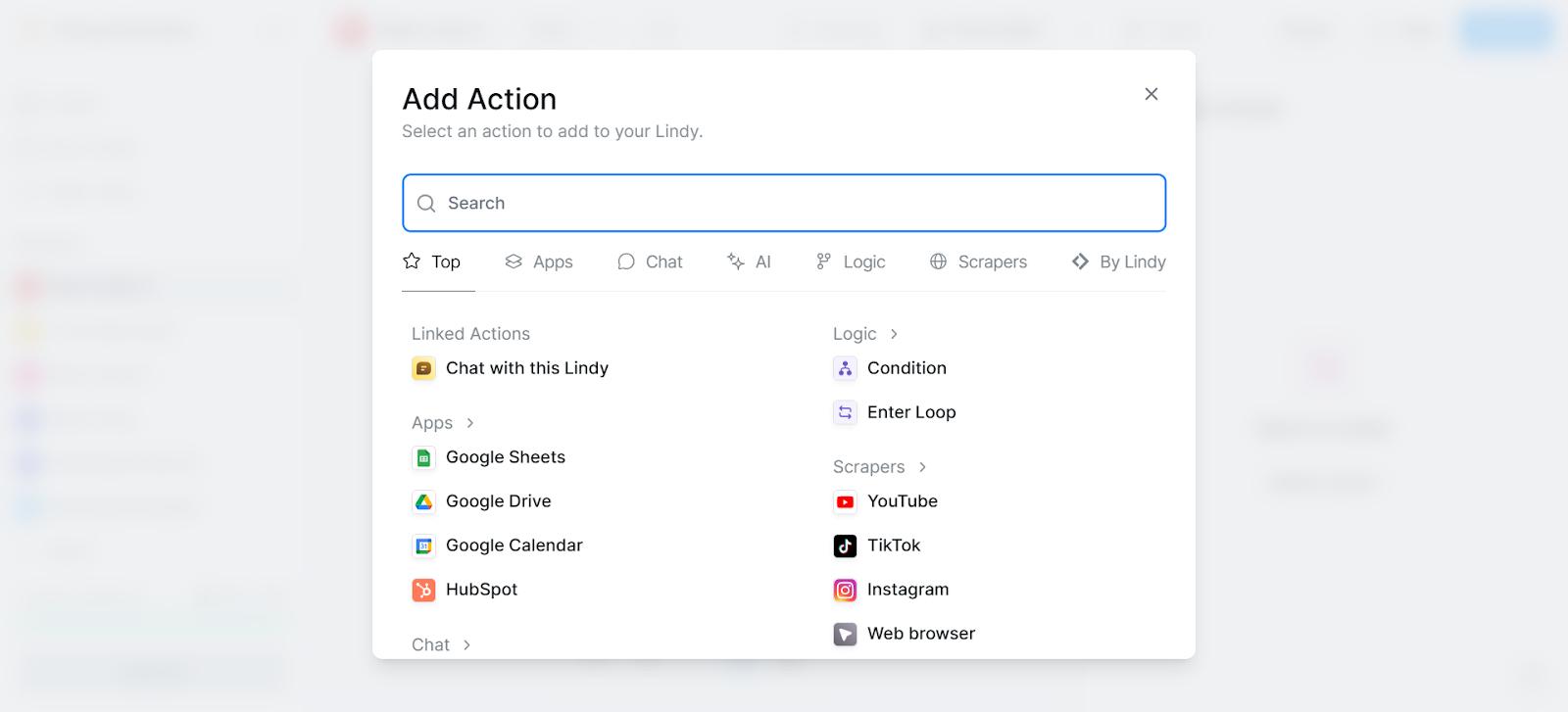
Notable features:
- Creates custom automation workflows without coding
- Connects to a wide range of business applications
- Can handle multi-step processes that span different tools
- Learns from your preferences and improves over time
The challenge: Lindy has a steeper learning curve than simpler AI assistants. Setting up effective automations requires thinking through workflows and logic, which takes time upfront. But for teams willing to invest that time, the productivity gains can be substantial.
6. Dust – Best for Technical Teams
Dust is designed for teams that want maximum control and customization over their AI assistant. It’s particularly popular with engineering and product teams who need an assistant that can be tailored to their specific workflows and data structures.
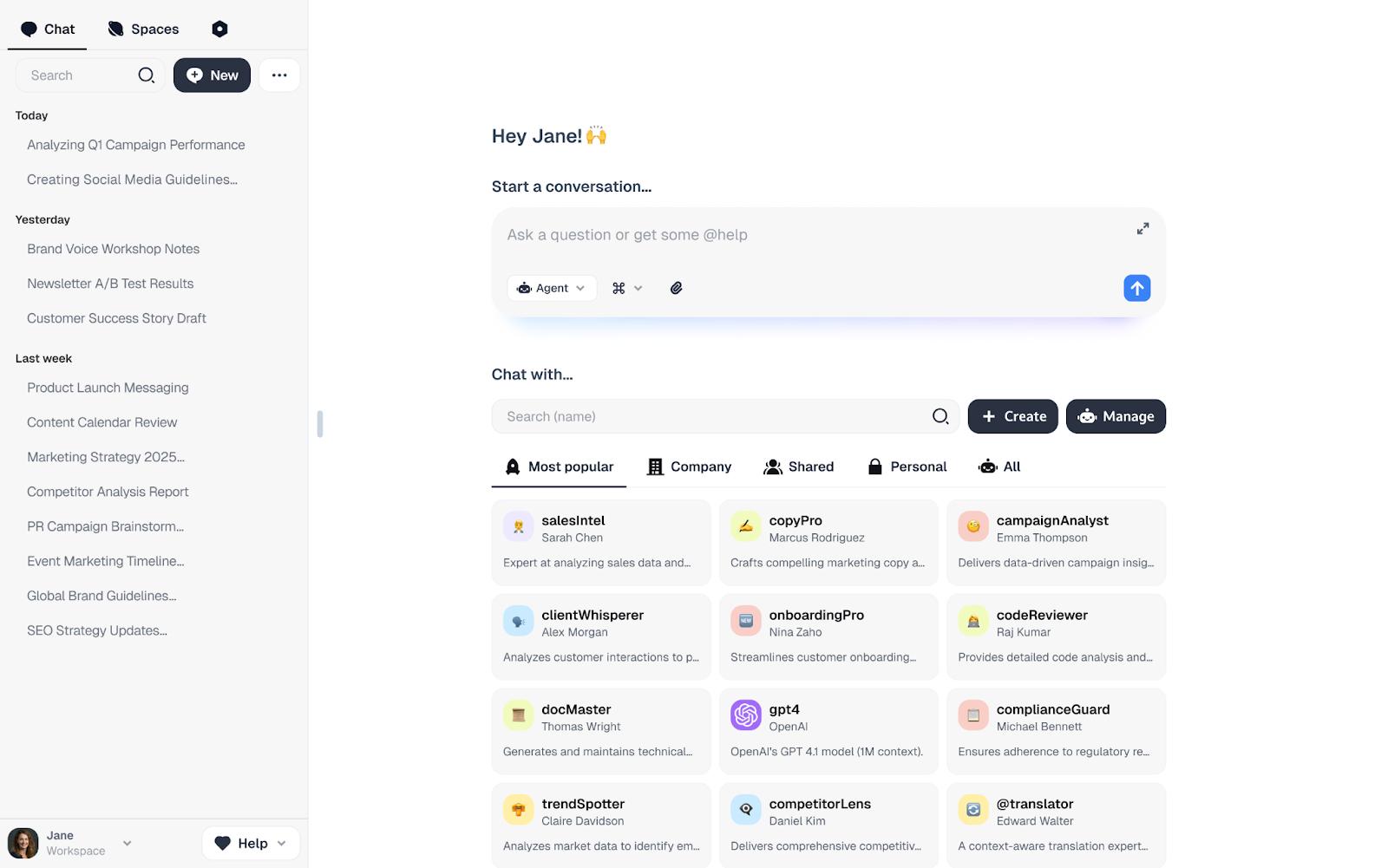
Key advantages:
- Highly customizable with developer-friendly APIs
- Can be trained on your specific data and use cases
- Integrates with technical tools like GitHub and Jira
- Offers fine-grained control over data access and permissions
The requirement: You need technical expertise to get the most out of Dust. Non-technical teams will find it overwhelming, but engineering-focused organizations can build exactly the AI assistant they need.
7. Sintra – Best for Task Delegation
Sintra positions itself as an AI assistant that can take on entire projects, not just answer questions. You describe what you need done, and Sintra breaks it down into steps and works through them.
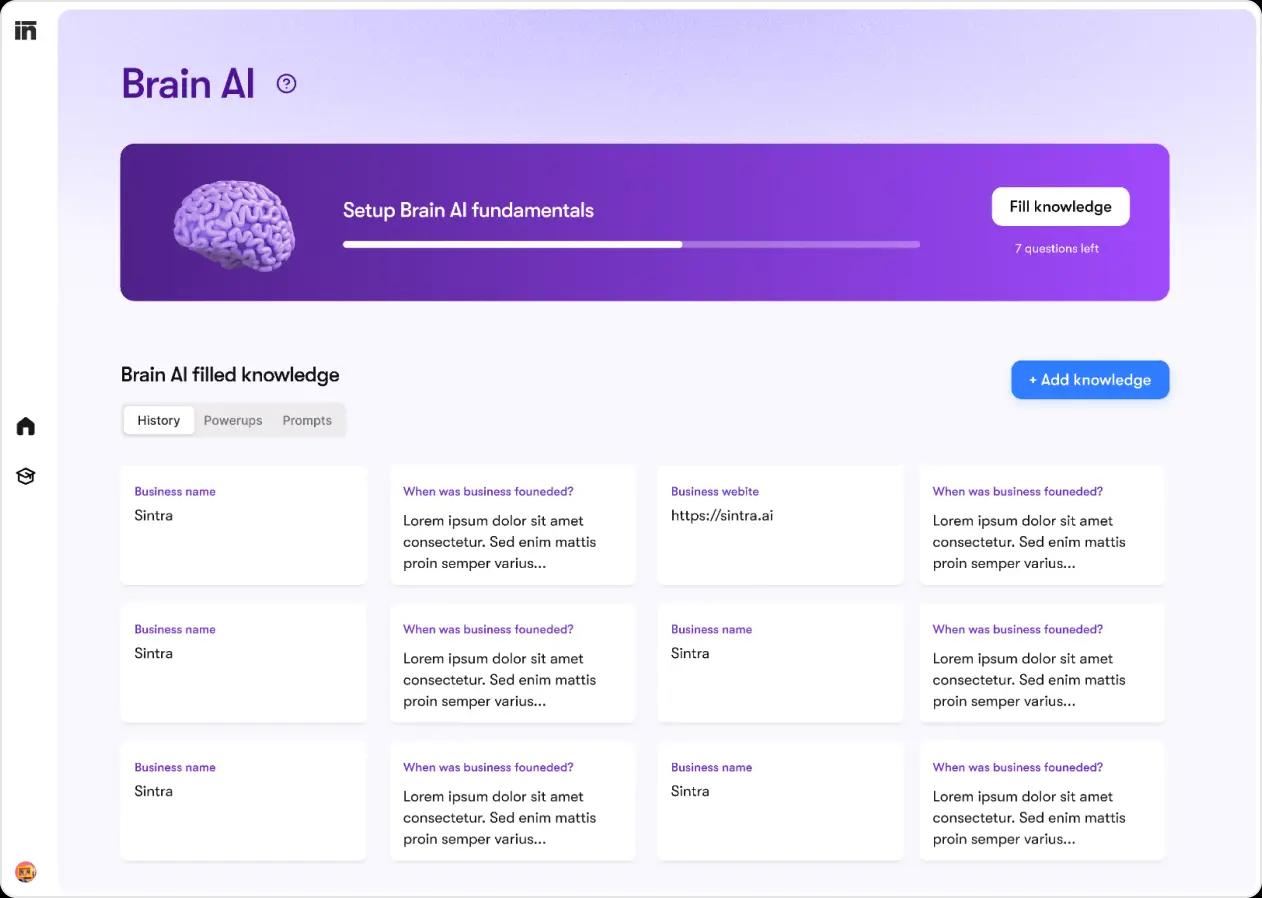
What it offers:
- Good at breaking complex projects into manageable tasks
- Can handle research, analysis, and content creation
- Provides progress updates as it works through tasks
- Aims to reduce the back-and-forth of traditional AI interactions
The reality: Sintra is still maturing as a platform. The concept is compelling, but in practice, it sometimes struggles with complex, multi-step projects. It works best for well-defined tasks with clear parameters.
8. Motion – Best for Project Management
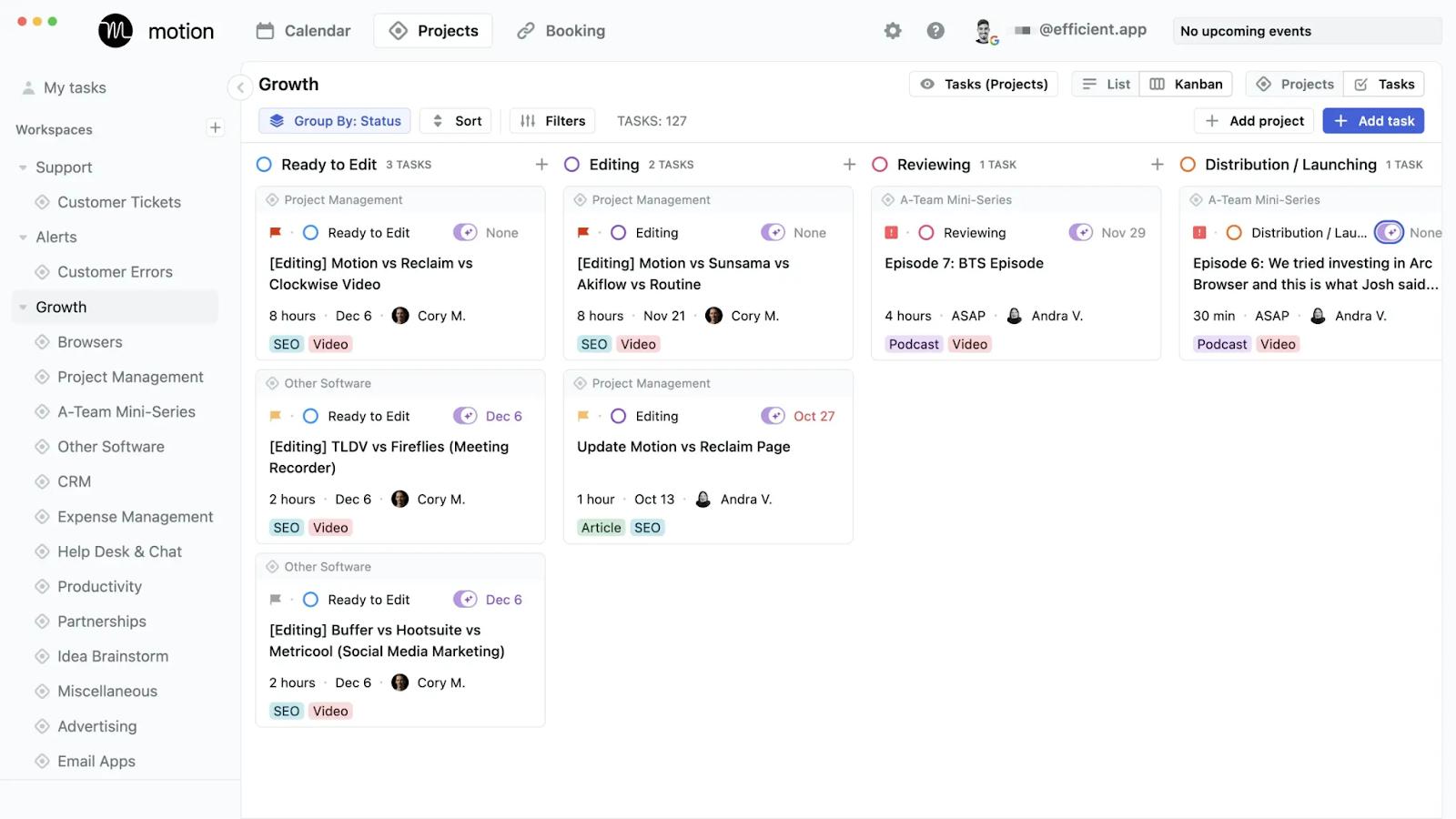
Motion is less of a general-purpose AI assistant and more of an AI-powered project management and scheduling tool. It uses AI to automatically organize your tasks, schedule your day, and manage project timelines.
Core capabilities:
- Automatically schedules tasks based on priorities and deadlines
- Adjusts your calendar when priorities change
- Manages project dependencies and timelines
- Helps prevent overcommitment by showing realistic capacity
The limitation: Motion is excellent at what it does, but what it does is narrow. If you're looking for an AI assistant to answer questions about company knowledge or help with content creation, Motion isn't the right tool. But for teams struggling with project planning and time management, it's remarkably effective.
What Worked and What Fell Short
After weeks of testing, several clear patterns emerged about what separates effective AI assistants from disappointing ones.
Trust Beats Raw Capability
The most powerful AI assistant is useless if your team doesn't trust its answers. I found that tools with slightly less impressive capabilities but higher accuracy rates earned more consistent usage than feature-rich assistants that occasionally gave wrong information.
Teams need to verify answers less often when they trust their AI assistant, which is where the real time savings come from.
Setup Complexity Can Slow Adoption
Several tools I tested had impressive capabilities but required extensive configuration before they became useful. This created a chicken-and-egg problem: teams needed to invest significant time before seeing any value, which made it hard to justify the investment.
The assistants that succeeded were those that provided immediate value, even if limited, and then expanded capabilities as teams invested more time.
Ecosystem Depth Comes with Boundaries
Tools like Microsoft Copilot and Google Gemini offer incredibly deep integrations within their respective ecosystems. But this depth comes at the cost of flexibility. If your team uses tools outside these ecosystems, you'll find yourself constantly switching between different AI assistants.
The best choice depends on whether your team is fully committed to one ecosystem or uses a diverse tool stack.
Verification Remained the Hidden Tax
Even the best AI assistants occasionally make mistakes or miss important context. Every team I observed developed habits around verifying critical information, which added time back into workflows that AI was supposed to streamline.
The assistants that minimized this tax were those that provided clear source citations and made it easy to verify answers without leaving the interface.
How to Choose the Right AI Business Assistant
The right AI assistant depends entirely on your team's specific needs and existing tool stack. Here's how to think about the decision:
Best AI Assistant for Knowledge Management
If your primary need is helping teams find and use company knowledge more effectively, Super is the clear winner. Its accuracy across 20+ data sources, automatic filtering of outdated content, and fast setup make it ideal for knowledge-focused teams.
Super connects to the tools you're already using—Google Drive, Slack, Notion, Confluence, HubSpot, and more—so there's no need to migrate your knowledge base. The main consideration is that it requires a minimum of 10 users, so it's best suited for established teams.
Best AI Assistant for Customer Support
While I didn't test customer-facing AI assistants in this review, several of these tools can support internal customer support teams. Super works well for helping support agents quickly find answers across help documentation, internal knowledge bases, and connected tools like Intercom and HubSpot.
For teams that need to automate customer-facing responses, Lindy offers workflow automation capabilities that can handle routine customer inquiries.
Best AI Assistant for General Productivity
For teams that need versatility across writing, analysis, brainstorming, and problem-solving, ChatGPT Enterprise offers the most well-rounded capabilities. It handles a wider range of tasks than any other assistant I tested.
Just be prepared to manually upload documents and information rather than having automatic access to your company's knowledge base.
Best AI Assistant for Enterprise Teams
Large organizations with established tool ecosystems should choose based on their primary platform:
- Microsoft 365 users → Microsoft Copilot
- Google Workspace users → Google Gemini
- Technical teams → Dust (for customization) or Super (for AI-powered search across all your tools)
- Mixed tool stacks → Super (connects 20+ sources natively) or ChatGPT Enterprise (for general-purpose productivity)
Getting Started with an AI Assistant for Your Team
Regardless of which AI assistant you choose, these principles will help ensure successful adoption:
Start with One Clear Use Case
Don't try to solve every problem at once. Pick one specific pain point—like finding information in documentation or drafting emails—and focus on that first. Once your team sees value in one area, they'll be more willing to explore other capabilities.
Connect the Most Important Data Sources First
Resist the urge to connect every possible integration immediately. Start with the one or two data sources that will provide the most value for your initial use case. This keeps setup simple and helps you learn how the assistant handles your specific data.
Test with Real Questions, Not Hypotheticals
The best way to evaluate an AI assistant is to ask it questions your team actually needs answered. Keep a list of recent questions that required digging through documentation or asking colleagues, and test those. This gives you a realistic sense of how the assistant will perform in daily use.
Expand Gradually as Trust Builds
As your team becomes comfortable with the AI assistant in one area, gradually introduce new use cases and data sources. This measured approach prevents overwhelm and allows you to maintain quality as you scale.
A Note on Tools for Knowledge Management
If knowledge management is your primary concern, it's worth noting that Super by Slite can be used as a standalone AI search platform connecting to 20+ data sources, or bundled with Slite's documentation platform as the Knowledge Suite. The bundled approach means your knowledge base and AI assistant are built to work together from the ground up, while the standalone option lets you search across whatever tools you already use.
Super's deep integrations with each connected data source—indexing metadata, respecting permissions, and understanding document structure—are a big part of why it performed so well in my accuracy testing. It goes beyond surface-level connections to truly understand context across your tools.
Want to see how Super works with your team's data? Book a demo to get started.

Janhavi Nagarhalli
Janhavi Nagarhalli is a product-led Content Marketer at Factors AI. She writes about the creator economy and personal branding on Linkedin.
Preguntas frecuentes
How long does it take to set up an AI assistant for business?
Setup time varies dramatically by tool. Super can be up and running within minutes—just connect your data sources and start asking questions. Microsoft Copilot and Google Gemini require enabling features within your existing workspace, which takes minutes to hours depending on your organization's admin processes. More complex tools like Dust or Lindy can take days or weeks to configure properly, especially if you're building custom workflows or integrations.
Can an AI business assistant access private company documents?
Yes, but with important caveats. Most AI assistants respect the same permission structures as your existing tools. If a document is private to certain team members in Google Drive, for example, the AI assistant will only surface that information to users who already have access. However, you should verify how each tool handles permissions before connecting sensitive data sources. Enterprise versions of AI assistants typically offer more robust security controls and audit logs than free or basic tiers.
What should you do when an AI assistant gives an incorrect answer?
First, verify the correct information and document it clearly in your knowledge base. Many AI assistants improve over time as your documentation becomes more comprehensive and well-organized. Second, if the assistant consistently makes the same type of error, report it to the vendor. Most enterprise AI tools have feedback mechanisms that help improve accuracy. Finally, use incorrect answers as teaching moments for your team about when to verify information and when to trust the assistant.
How do AI assistants handle outdated information?
This varies significantly by tool. Some assistants, like Super, automatically exclude archived or outdated content from search results. Others rely on you to maintain your knowledge base and remove or update old information. The best practice is to establish clear processes for archiving outdated documents and updating information when it changes. Even the smartest AI assistant can't help if your underlying knowledge base contains conflicting or outdated information.
How do AI assistants for business handle confidential information?
Enterprise AI assistants typically include specific provisions about data handling. Most major tools commit to not using your company data to train their general models. They also offer features like data residency controls, encryption, and compliance certifications (SOC 2, GDPR, etc.). Before connecting an AI assistant to confidential information, review the vendor's security documentation and data processing agreements. For highly sensitive data, consider tools that offer on-premise deployment or additional security controls.
¿Listo para potenciar tu flujo de trabajo?
Conecta tus herramientas y empieza a obtener respuestas al instante.
Llevamos creando soluciones para compartir conocimiento y mejorar el trabajo desde 2016.