AI for Slack - How We Automated Knowledge Sharing at Our Startup
Slack is where questions land first and where answers quietly disappear.
You know the pattern: someone asks a question, a few people reply, and decisions get made mid-thread.
But 2 weeks later, the same question shows up again, asked by someone new, answered by someone tired. The knowledge was there, it just never stuck.
When Slack introduced native AI features, we were thrilled, but soon realised our team needed something more than just conversation summaries. What we wanted was something that helped the team think once and reuse forever.
This article breaks down where Slack's built-in AI helps and where it falls flat, how we actually run AI agents in Slack today using Super and others, and what it takes to move past summaries into real, agent-driven knowledge sharing.
Why AI in Slack Matters
As teams scale, Slack gets noisy. Important answers get buried in threads, the same questions keep popping up, and people spend more time searching than doing. Context switching between tools only makes it worse. AI in Slack helps cut through that noise by surfacing the right information at the right moment, directly inside the conversations where work is already happening.
The bigger shift is how teams access knowledge. Instead of jumping between docs, wikis, and dashboards, AI agents and apps now live inside Slack. You can mention an agent in a channel, ask a question, and get an answer pulled from your knowledge base and dozens of connected tools. You can trigger workflows, summarize context, or automate small but repetitive tasks without breaking focus.
The result is simple. Slack stops being just a chat app and becomes your AI command center. One place to talk, think, and get work done faster.
Slack AI Features: What's Included and What It Can Unlock
Slack now includes native AI capabilities across its paid plans. These features are designed to help teams keep up with fast-moving conversations, reduce manual work, and get more value out of the information already flowing through Slack.
Below is a simple breakdown of what's included and how teams typically use it:
What's Included at Each Tier
Pro plan ($7.25 per user per month, billed yearly)
- Unlimited message history with AI summaries
- Group meetings with AI-generated notes
- Unlimited app integrations, including AI assistants
This tier is about making Slack easier to keep up with. AI summaries help you catch up on conversations faster, meeting notes reduce manual follow-ups, and app integrations let you start experimenting with AI inside Slack without extra setup.
Business+ plan ($12.50 per user per month, billed yearly)
Everything in Pro, plus:
- AI workflow generation and AI steps
- AI file summaries
- AI daily recaps
- AI search across the workspace
- AI language translations
Business+ focuses on automation and scale. Teams can build simple workflows using natural language, quickly understand files shared in channels, and search more effectively across conversations. Daily recaps and translations are especially helpful for busy or distributed teams.
Enterprise+ plan (contact sales for pricing)
Everything in Business+, plus:
- Search across multiple apps directly from Slack
- Unlimited workspaces
- Data loss prevention via third-party integrations
- Advanced security and compliance features
This tier is designed for larger organizations. It adds stronger search across tools, more flexible workspace management, and the security controls needed in regulated environments.
Channel Recaps and Thread Summaries
Slack can condense channel activity or long threads into short, readable summaries. You can click "Get a recap" at the top of a channel to see what happened while you were away, or use "Summarize thread" to understand a long discussion without reading every reply.
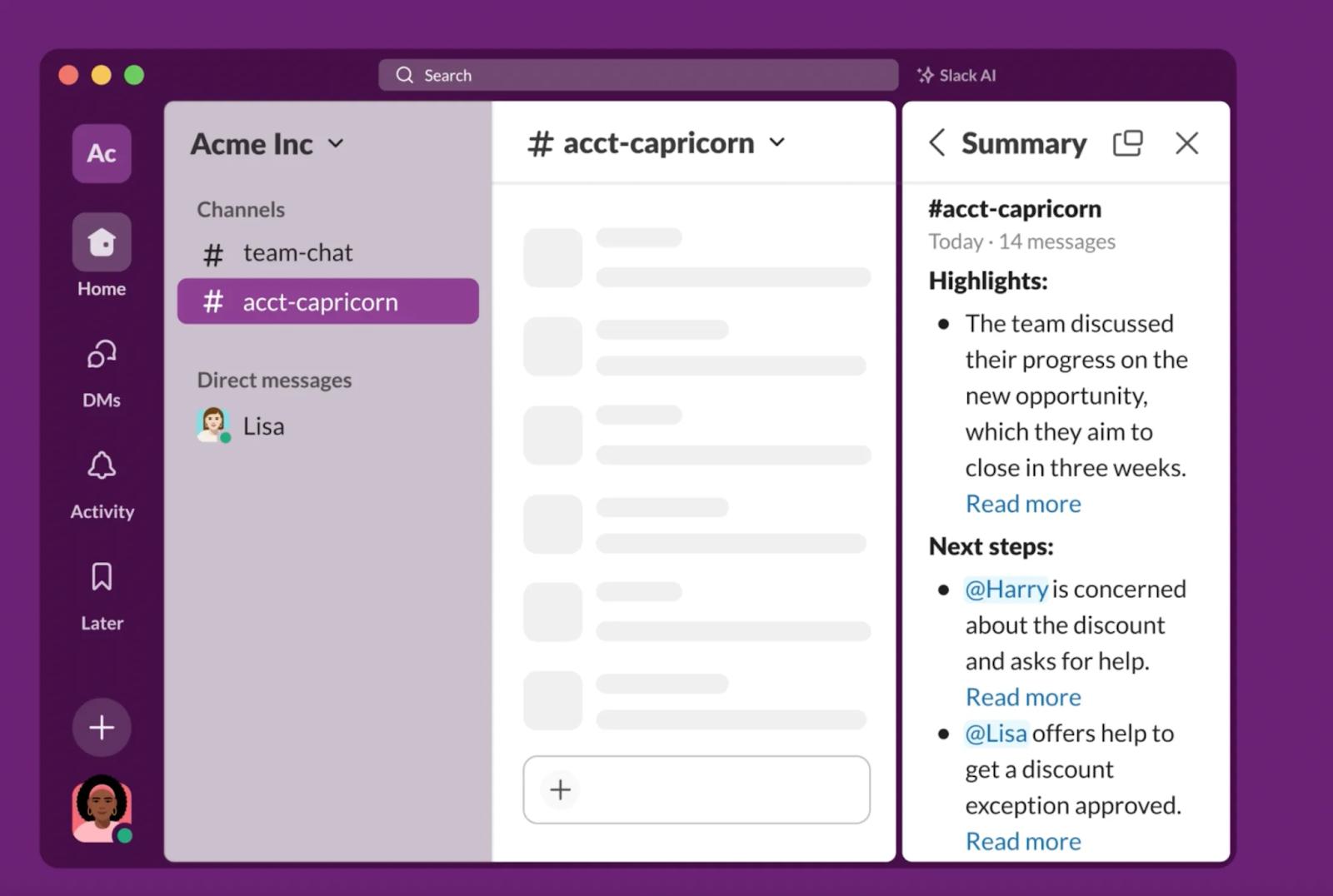
It helps people stay aligned even when they are not constantly online, and it lowers the cost of missing a few hours or a few days of conversation.
AI Search and Daily Recaps
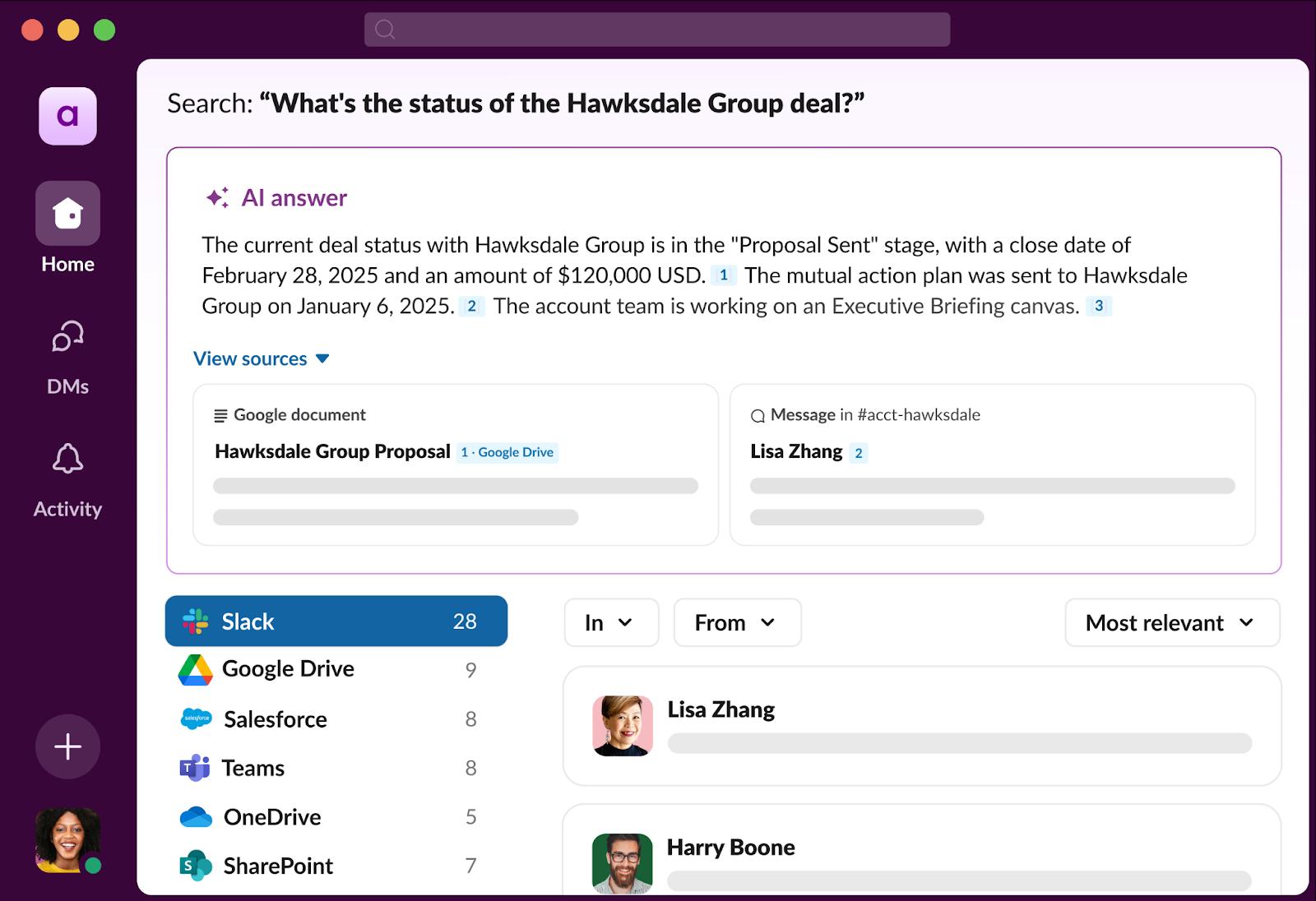
Instead of guessing the right keywords or remembering where something was shared, you can ask questions in plain English and get relevant answers from across your workspace. For teams on the Business+ plan, daily recaps add another layer by automatically delivering highlights from selected channels each morning.
People find information faster, miss fewer updates, and stay informed about what happened across teams overnight or over the weekend without having to manually check every channel.
AI Workflow Generation
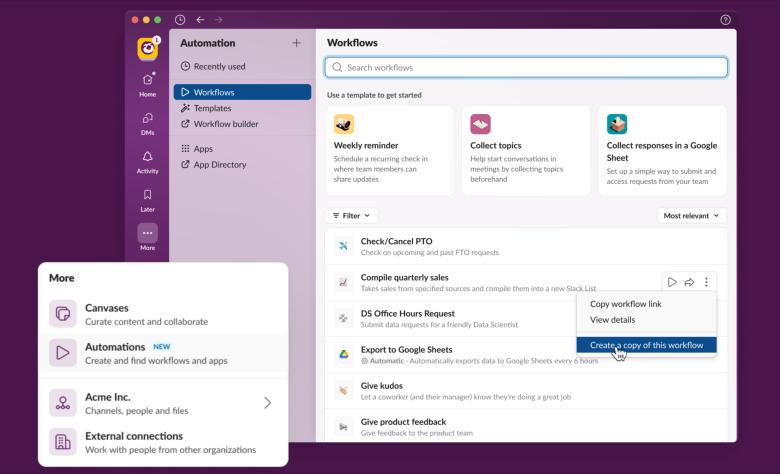
With the Business+ plan, Slack includes AI-powered workflow creation built directly into its workflow builder. Instead of manually setting up triggers and actions, you can describe what you want to automate in plain language and let Slack AI suggest the steps for you.
What this unlocks is faster automation. Teams can create simple workflows without deep setup or technical knowledge, making it easier to remove repetitive tasks and keep work moving inside Slack.
The Limitations
Slack's native AI features work entirely within your Slack workspace. They are great at summarizing conversations, recapping channels, and helping you search messages and files that live in Slack itself. For many teams, this already removes a lot of friction from day to day communication.
The limitation shows up when information lives elsewhere. Slack AI cannot look into your knowledge base, GitHub repositories, Linear issues, Google Drive, or other tools where important context and decisions are stored. It also cannot reason across those sources to give you a complete answer.
What this unlocks, indirectly, is the need for a different approach. To turn Slack into a true source of truth, teams rely on third-party AI agents that connect external tools and bring that knowledge into Slack. That is where AI in Slack moves from summarization to real problem solving.
How We Use AI in Slack (We Don't Use Slack AI)
We don't use native Slack AI. Not because it isn't useful, but because most of our knowledge does not live in Slack. It lives across Slite, Linear, GitHub, Google Drive, meeting notes, and a handful of other tools. To make AI in Slack actually work for us, we brought those tools into Slack using Super and a few agent-native apps.
Instead of treating Slack as a place to summarize conversations, we treat it as the place where questions get answered. AI lives directly in our channels and DMs, connected to the systems where real context and decisions are stored. Here is how that looks in practice.
@Super for Answering Questions Across All Our Tools
When someone has a question, they mention @Super in any Slack channel or DM. Super searches across all our connected tools, including Slite docs, Linear issues, GitHub pull requests, Google Drive files, meeting notes, and recent Slack discussions. It provides a clear answer and includes source citations so anyone can verify the information's source.
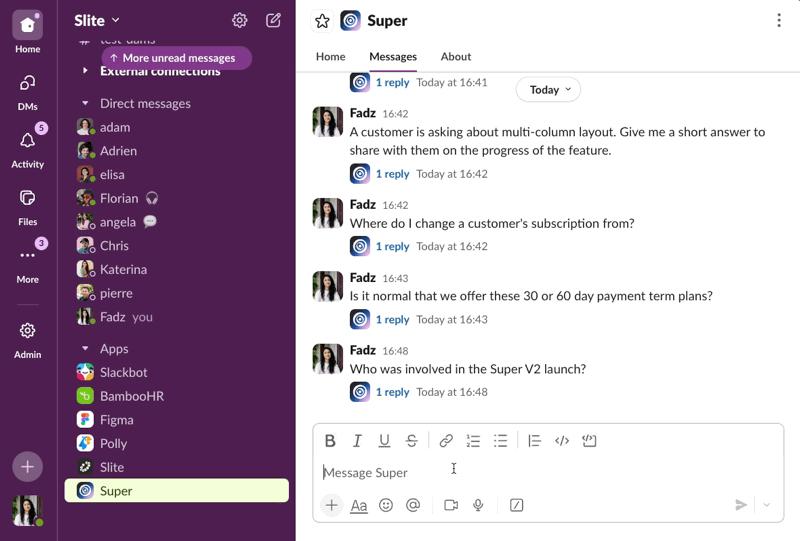
Customer-facing teams now break down technical information for customers by pulling from engineering docs, specs, and past decisions, without redirecting people to support or hunting for links.
In practice, it looks like this. Someone asks in #engineering, "What's our current process for enterprise customer requests?" @Super searches across Slite, Linear, recent Slack threads, and Google Drive, then replies with the answer and citations. The key difference from native Slack AI is scope. Super searches more than 15 external tools, not just Slack history, and it respects existing permissions so people only see what they are allowed to see.
Weekly Digests Delivered to Slack Channels
We set up Super Digests as recurring workflows that run in the background and post updates directly to people’s emails/Slack. Each digest is tied to a clear audience and pulls from the tools that audience already relies on. Once configured, the workflow runs automatically on a weekly cadence and shows up in Slack without anyone needing to ask for it.
For example, our weekly company update in #general pulls recent highlights from Slack conversations, Linear progress, and Notion updates.
The sales team gets a pipeline digest in #sales that aggregates HubSpot data into a single view.
In #customer-success, a support trends digest analyzes Intercom tickets alongside internal support channels to surface common issues.
Our product team uses a launch digest in #product that tracks GitHub pull requests, Linear issues, and changelog updates as they move forward.
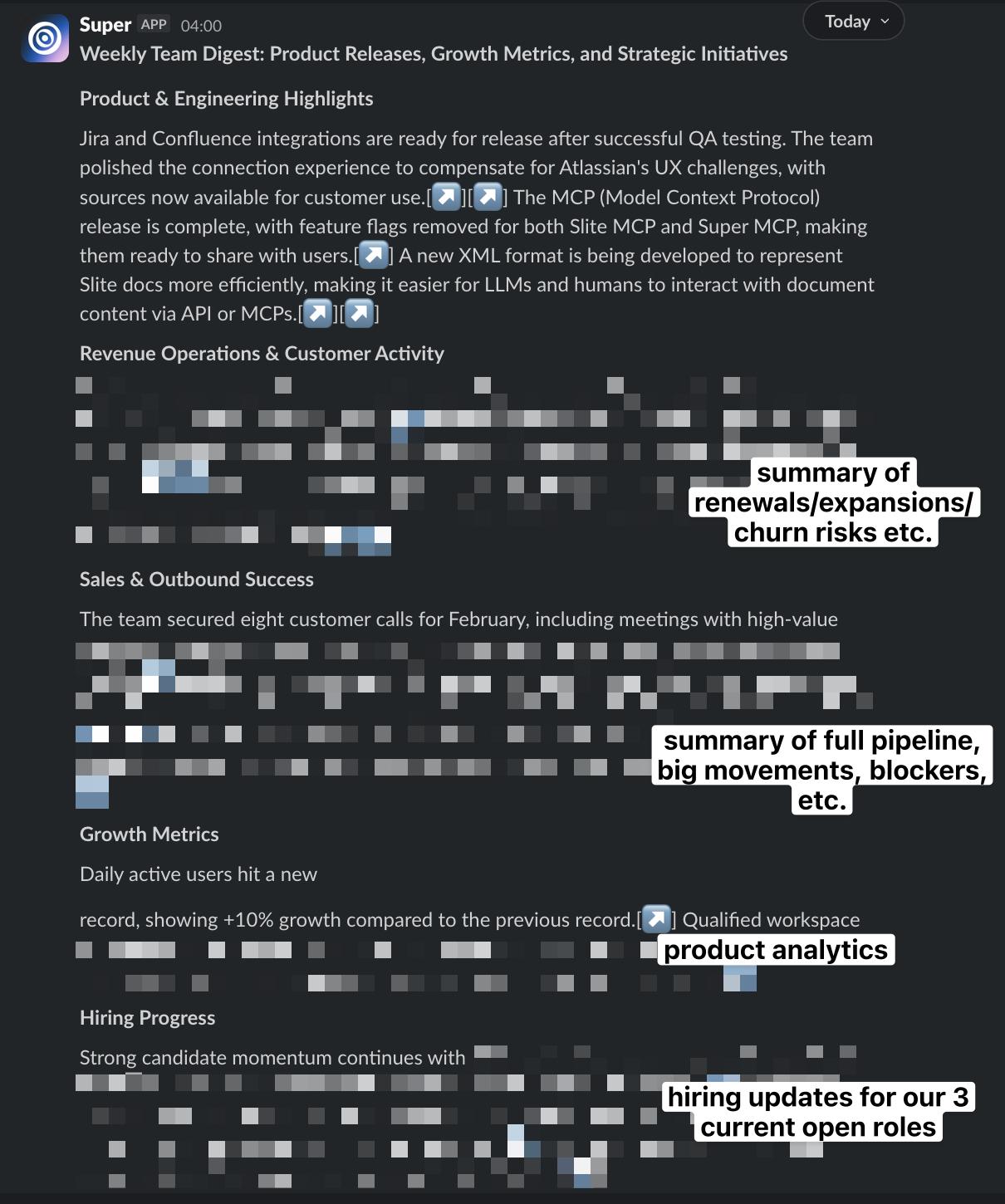
The result is fewer status meetings and less manual reporting. One customer, Seth at Event Cadence, uses these digests to stay informed about team activity without attending every meeting. He tracks sales pipeline movement and recurring team questions through Slack, using digests as a lightweight way to stay aligned.
Automated Meeting Recaps
We automated meeting recaps by connecting our call recordings and transcripts to Super using Zapier. After a meeting ends, the transcript is sent to Super, which generates a standardized summary with key decisions, action items, and next steps. That summary is then saved as a document in Slite and posted to the relevant Slack channel so everyone sees it without asking.
Before this setup, the workflow was manual and slow. Someone had to take the native transcript, copy it into ChatGPT, clean up the summary, then copy it again into Slite and share the link in Slack. It worked, but it was easy to forget and took real effort after every meeting.
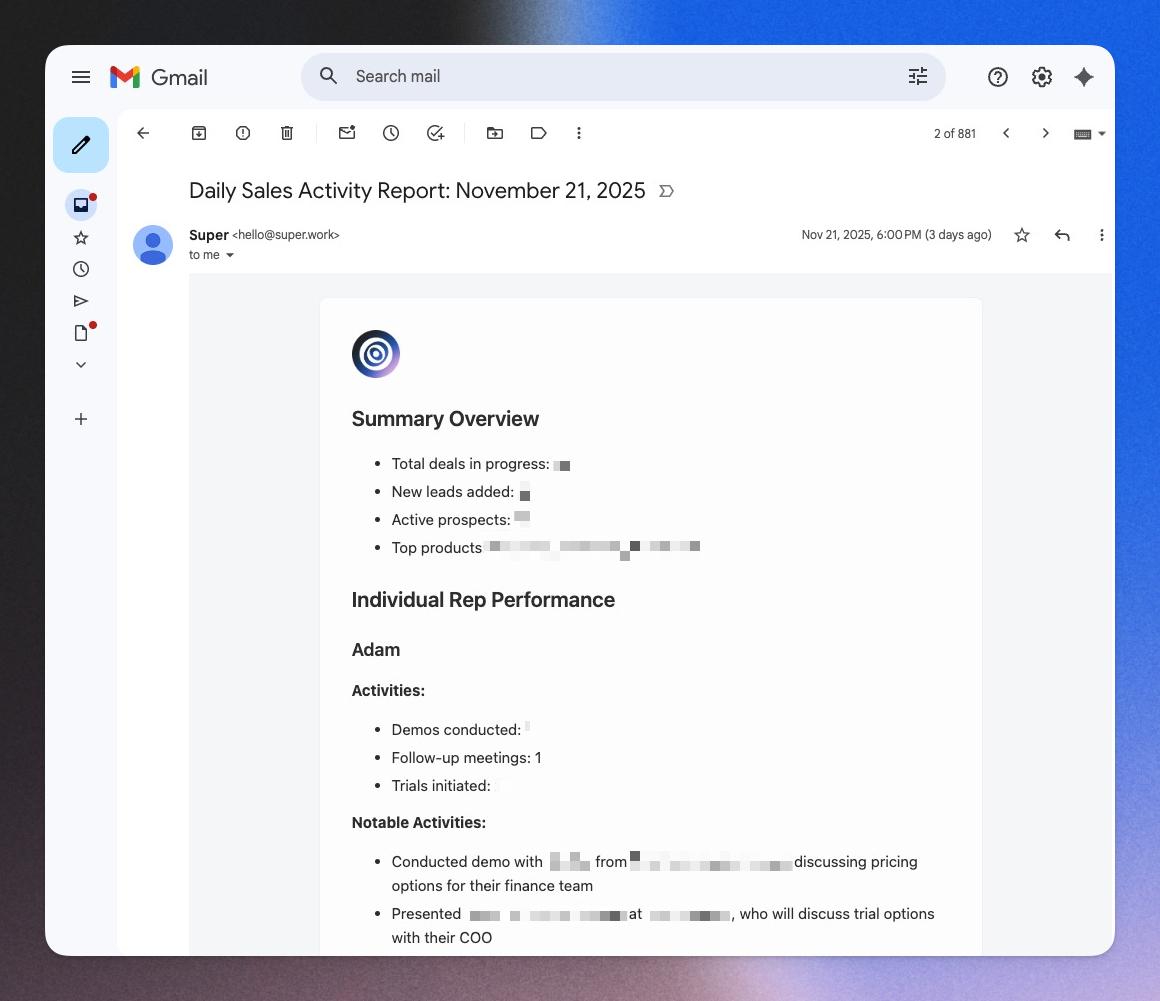
Now the whole flow runs automatically. Meeting notes are consistent, easy to find, and immediately shared. Discovery call prep that used to take around 30 minutes is now reduced to a few quick checks, because past calls, decisions, and context are already summarized and stored where the team expects them.
Bulk Mode for RFPs and Security Questionnaires
When we receive large RFPs or security questionnaires with hundreds of questions, we handle them in bulk using Super's Bulk Mode. The workflow is simple. We upload the full questionnaire, and Super searches across our documentation in Slite, Google Drive, and past RFPs to generate answers for every question, complete with source citations.
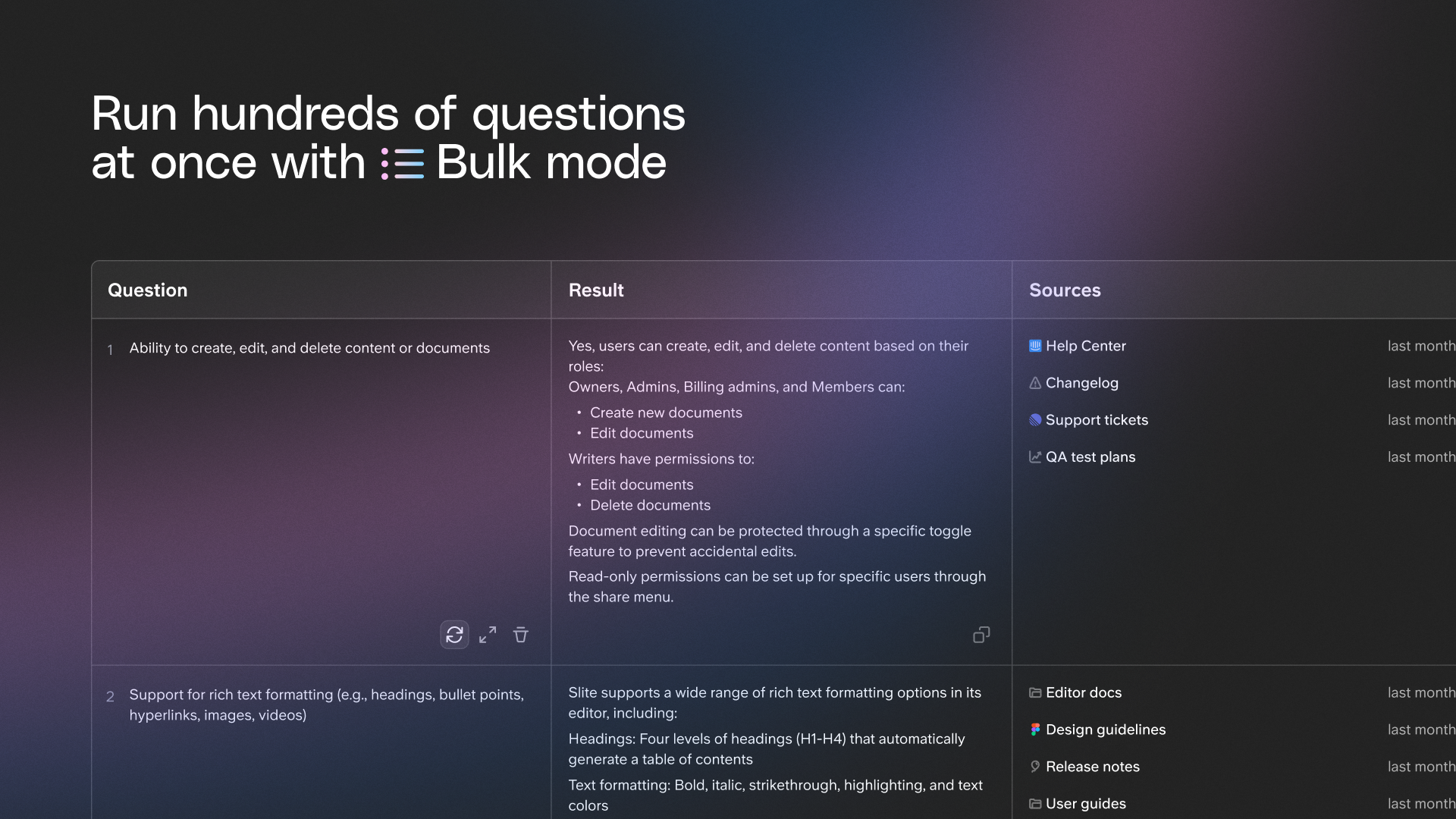
Before this, responding to RFPs meant pulling in people from security, product, and engineering to track down answers one by one. It took days of back and forth and a lot of duplicated effort. Even when answers already existed, finding and verifying them was the slowest part.
With Bulk Mode, we can turn around RFPs the same day. Teams review the answers, make small adjustments if needed, and send them out with confidence because every response is backed by a source. What used to take a week of coordination now fits cleanly into a single Slack workflow.
Our Recommendations: Go Beyond Slack AI with Agent-Native Apps
Native Slack AI is good at summarizing what is already in front of you. It helps teams catch up on conversations, reduce noise, and move through Slack faster. But summarization is only the first step. It does not connect the tools where real work happens, and it does not move work forward on its own.
Agent-native apps go further. They connect external systems, understand context across tools, and trigger workflows directly inside Slack. Instead of just telling you what happened, they help you find answers, take action, and automate repeatable work. Here are the recommendations that have made the biggest difference for us.
Use Super for Cross-Tool AI Search
Native Slack AI is limited to what happens inside Slack. That works for catching up on conversations, but it breaks down the moment a real question depends on documentation, tickets, deals, or past decisions stored elsewhere. In practice, most company knowledge lives across tools like Slite, Google Drive, Confluence, Notion, GitHub, Linear, Jira, HubSpot, Attio, and Intercom. Searching Slack alone gives you partial context at best.
This is where Super changes how teams work. Instead of summarizing what was said in channels, Super searches across all connected tools and brings the answer back into Slack with links to the original sources.
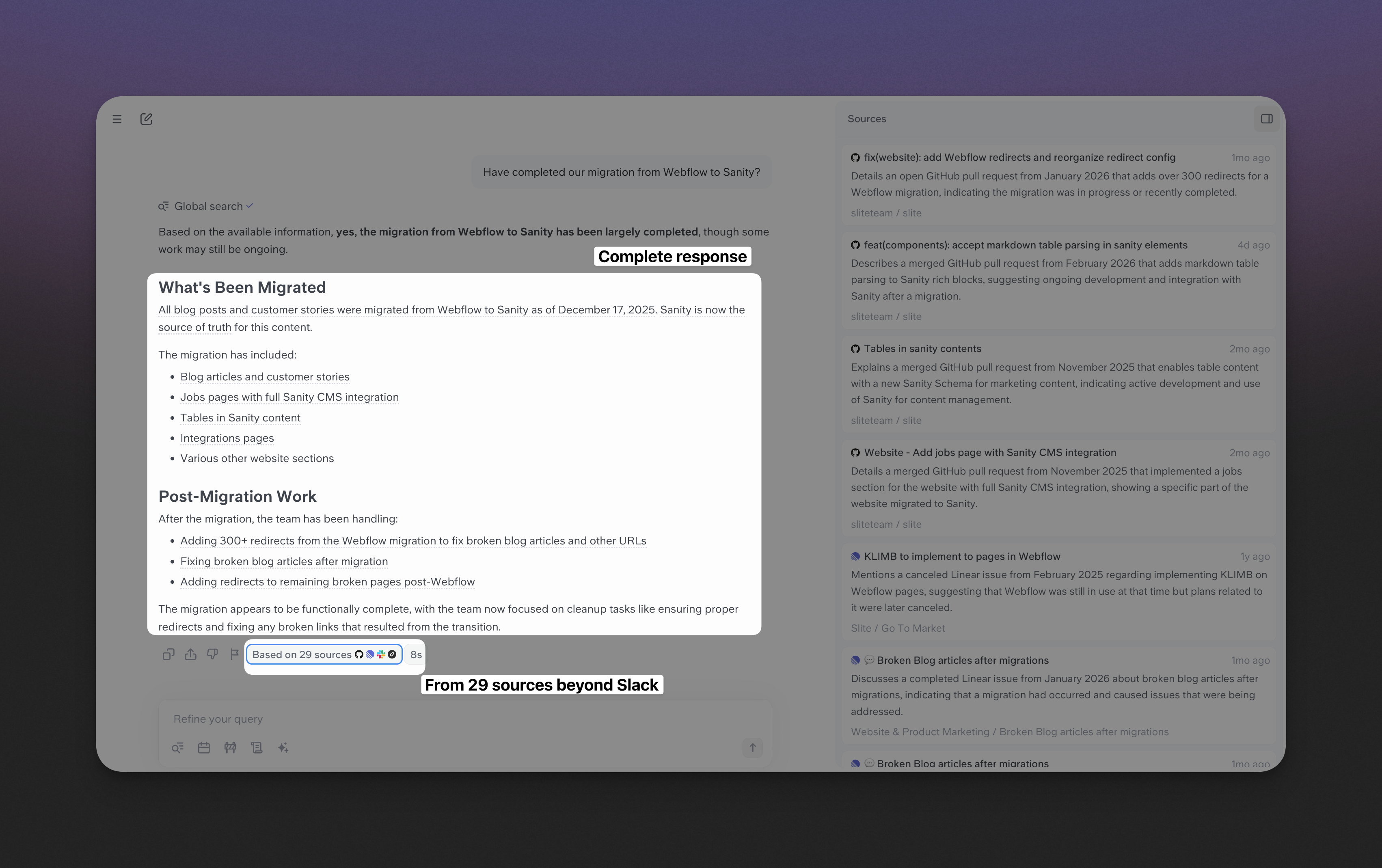
That difference matters because decisions rely on verified information, not just recent messages. When answers come with citations and respect existing permissions, people trust what they see and can go deeper when needed.
Going beyond Slack AI also means meeting people where they already work. With Super, search is not locked to one interface. Teams can access it from Slack, a browser extension using a keyboard shortcut, or the web. Over time, this turns Slack into a reliable entry point for company knowledge, without forcing everything to live there in the first place.
Use Linear's Agent for Project Management
Native Slack AI can summarize a project discussion, but it cannot turn that discussion into work. Linear's agent does exactly that by treating Slack conversations as the starting point for action. When someone mentions a bug or feature request in Slack, the Linear integration can create an issue directly from the thread, automatically pulling in context, links, and discussion.
This changes how teams capture work. Instead of copying messages into a separate tool or asking someone to "log this," issues are created in the moment, while context is still fresh. Engineers also receive daily triage notifications in Slack each morning, which keeps planning and prioritization visible without needing to open Linear first.
Why this matters - You are no longer just searching for information or summarizing what was said. You are filing bugs, updating issue status, and moving projects forward from inside Slack. Agent-native apps turn Slack into a place where work starts and progresses, not just where it gets discussed.
Connect Slack to a Knowledge Base (Not Just Slack AI)
Slack AI is helpful for summarizing messages, but messages are not a reliable place to store knowledge. Conversations move quickly, context fades, and important information gets buried or lost over time. If Slack is the front door, you still need a place where decisions, processes, and policies actually live.
That is why we pair Slack with a dedicated knowledge base. We use Slite for verified, structured documentation with clear ownership and expiration tracking, and Super to search across Slite and the rest of our tools, including Slack, Google Drive, Confluence, GitHub, Linear, and HubSpot. From a team member's point of view, it all happens in Slack. They mention @Super in a channel and get answers pulled from both curated docs and real work systems.
When Slack is connected to a real knowledge base, AI becomes more accurate, more trustworthy, and more useful. For teams that want this combined setup, Slite and Super are available together as a Knowledge Suite for $20 per user per month (billed annually).
Book a demo to take the Knowledge Suite for a 3-week spin
Set Up Dedicated Channels for AI Agents
AI works best when its output is visible and shared. Instead of keeping agent interactions in private DMs, we recommend creating public channels like #ask-super or #linear-triage where questions, answers, and actions are visible to everyone. When someone asks a question or triggers a workflow, the whole team benefits from the response.
Over time, these channels turn into an organic knowledge repository. Common questions get answered once and reused many times. Teammates learn how to phrase better prompts by watching others interact with agents. Slack becomes not just a place to ask for help, but a place where knowledge accumulates in the open.
Start with One Use Case, Then Expand
A common mistake is trying to automate everything at once. That usually leads to complexity without adoption. Instead, start with one high-impact use case, such as answering repetitive questions in Slack or automating meeting recaps, and make sure it works well.
Once the value is clear, it becomes much easier to expand. Teams naturally ask for more workflows, more integrations, and more automation. By growing from one proven use case, AI in Slack evolves from a helpful experiment into a system people actually rely on.

Janhavi Nagarhalli
Janhavi Nagarhalli is a product-led Content Marketer at Factors AI. She writes about the creator economy and personal branding on Linkedin.
Frequently Asked Questions
Does Slack AI use ChatGPT?
No. Slack AI does not use ChatGPT. As of early 2026, Slack's AI features are powered by Anthropic's Claude model. The experience is built directly into Slack and is designed to work only with content inside your workspace. That said, third-party integrations may use different models under the hood. Tools like Super can use their own AI systems while still operating inside Slack, which is why capabilities and results can vary depending on the app you use.
Can I use AI in Slack without paying for native Slack AI?
Yes. You can use AI in Slack through third-party integrations regardless of your Slack plan. Tools like Super or Linear's agent work on top of Slack and do not require native Slack AI to be enabled. Native Slack AI features, such as channel recaps and AI search, are only available on paid plans starting with Pro.
What's the difference between native Slack AI and third-party integrations like Super?
Native Slack AI focuses on summarizing and searching what lives inside Slack. It helps you catch up on conversations and reduce noise, but it does not look beyond your workspace. Third-party integrations like Super connect Slack to the rest of your company knowledge. They search across tools like Google Drive, Confluence, GitHub, Linear, Jira, HubSpot, and more. They also return source citations and can trigger workflows, which makes them better suited for answering questions and taking action, not just summarizing.
What AI features come with each Slack plan?
Slack's Pro plan, priced at $7.25 per user per month when billed yearly, includes AI summaries and meeting notes. Business+, at $15 per user per month, adds AI workflow generation, file summaries, daily recaps, AI search across the workspace, and language translations. Enterprise+ includes everything in Business+ along with search across multiple apps directly from Slack and advanced security features.
How do I enable AI for my Slack workspace?
To use native Slack AI, an admin needs to upgrade the workspace to a paid plan and enable AI features in the admin settings. Once enabled, AI tools like recaps and summaries appear directly in channels and threads. For third-party AI tools, you can install the app from the Slack App Directory and authorize access to the tools you want to connect. Setup usually takes a few minutes and does not require changes to your Slack plan.
Ready to supercharge your workflow?
Connect your tools and start getting instant answers.
We've been building solutions for knowledge sharing and better work since 2016.